Pantry: The App That Does Our Grocery Shopping
I built an app that plans our dinners from our recipe library, keeps a barcode-scanned inventory of what we own, and fills our Kroger cart every Friday at 8am.
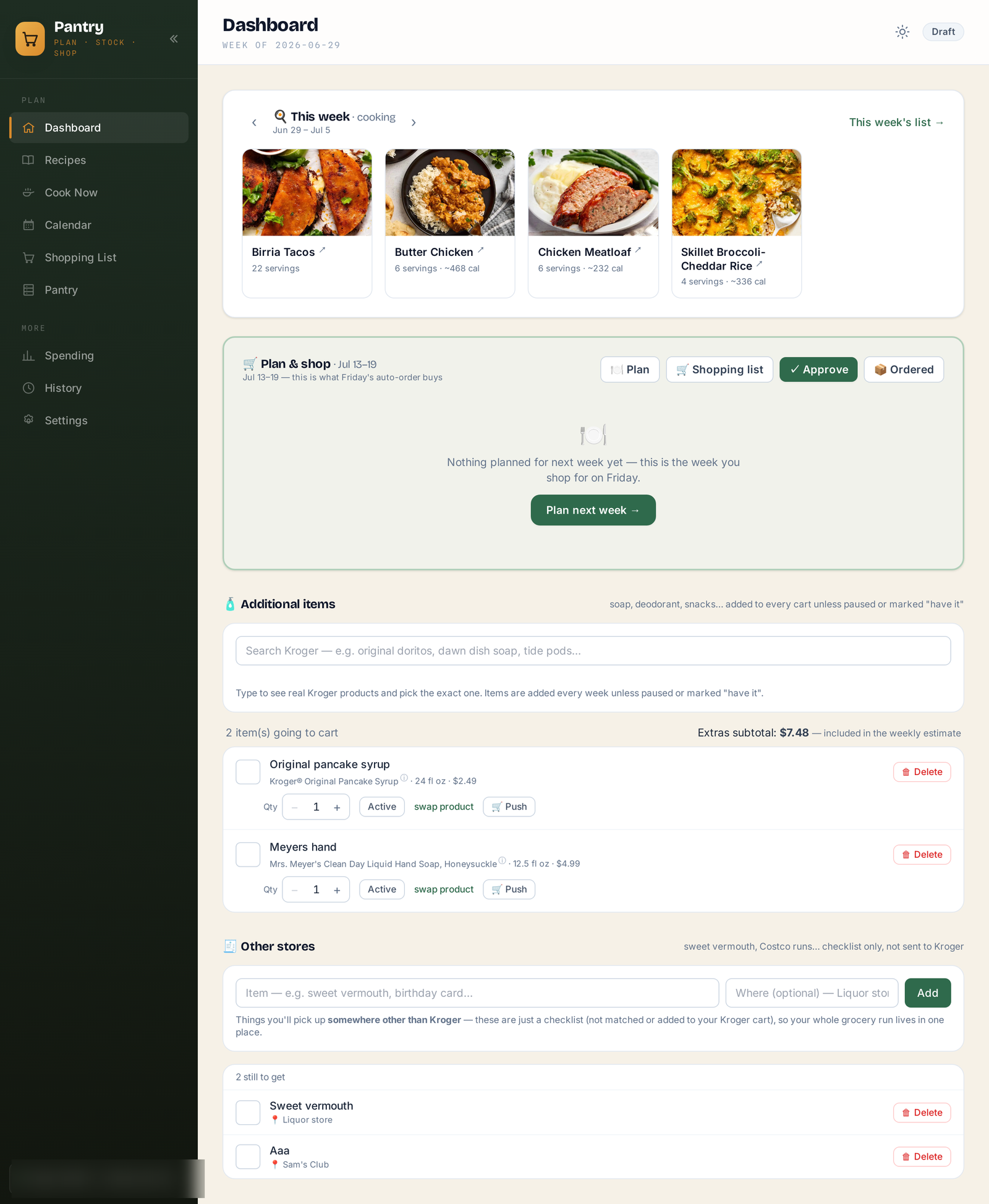
After the Home Assistant post, this is the other project our house actually runs on. Pantry is an app I built that plans our dinners, keeps track of what we already own, and fills our Kroger cart every Friday morning.
It started when I found out Kroger has a real public API. Product search, prices, aisle locations, and add to cart. You check out in your own Kroger account at normal prices. As far as I can tell no other big chain offers anything like it. I already had our recipes in Mealie, a self-hosted recipe manager, so the only missing piece was getting from "we picked meals" to "the ingredients are in the cart." I wrote a weekend script to do that. It didn't stay a weekend script.
How a week works
The dashboard follows how the week actually goes. Up top are this week's meals, the ones we're eating now. We check them off as we make them. Under that is next week's plan, which is what Friday's order buys. We plan by Thursday, flip the approve toggle, and at 8am Friday the app pushes the whole list to our Kroger cart and sends an email with meal photos and the estimated total. Then one of us taps checkout.
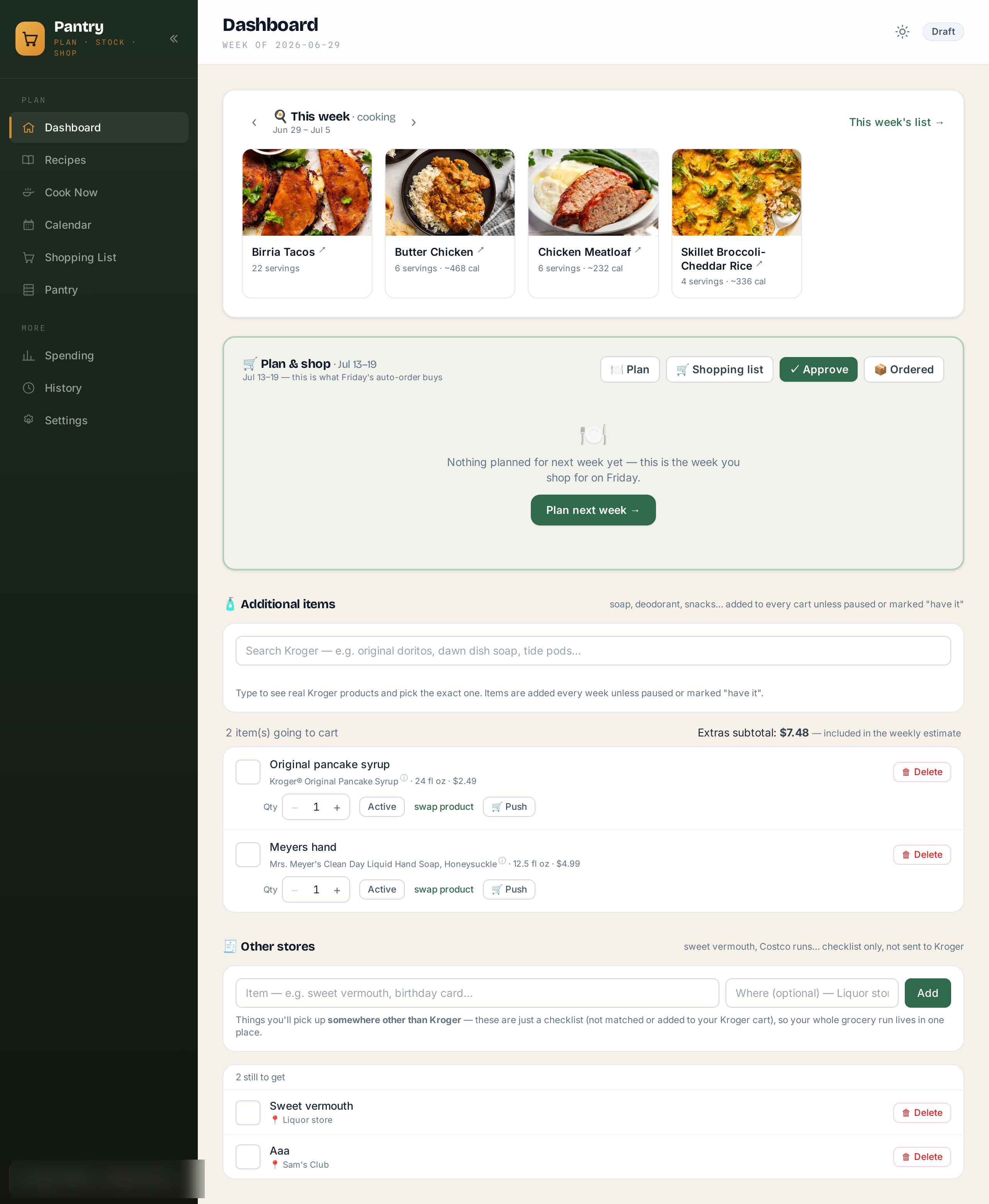
There are two smaller lists on the same page. Additional items are for things you want to buy that aren't apart of any recipe, need some more toothpaste, type toothpaste into the search, and select your preferred toothpaste . And there's an "other stores" list for stuff Kroger doesn't sell, so the liquor store run and the Costco run live in the same place as the groceries.
Planning
Planning is a three step wizard: pick meals, add extras - think things like soda, fruit, or deodorant, anything you want in your Kroger cart - review and approve. The menu is our whole Mealie library, about 300 dinner mains, cached locally so it loads fast. You can search it, filter by cuisine or cook time, pop open details, and bump servings up or down, which scales the shopping list.
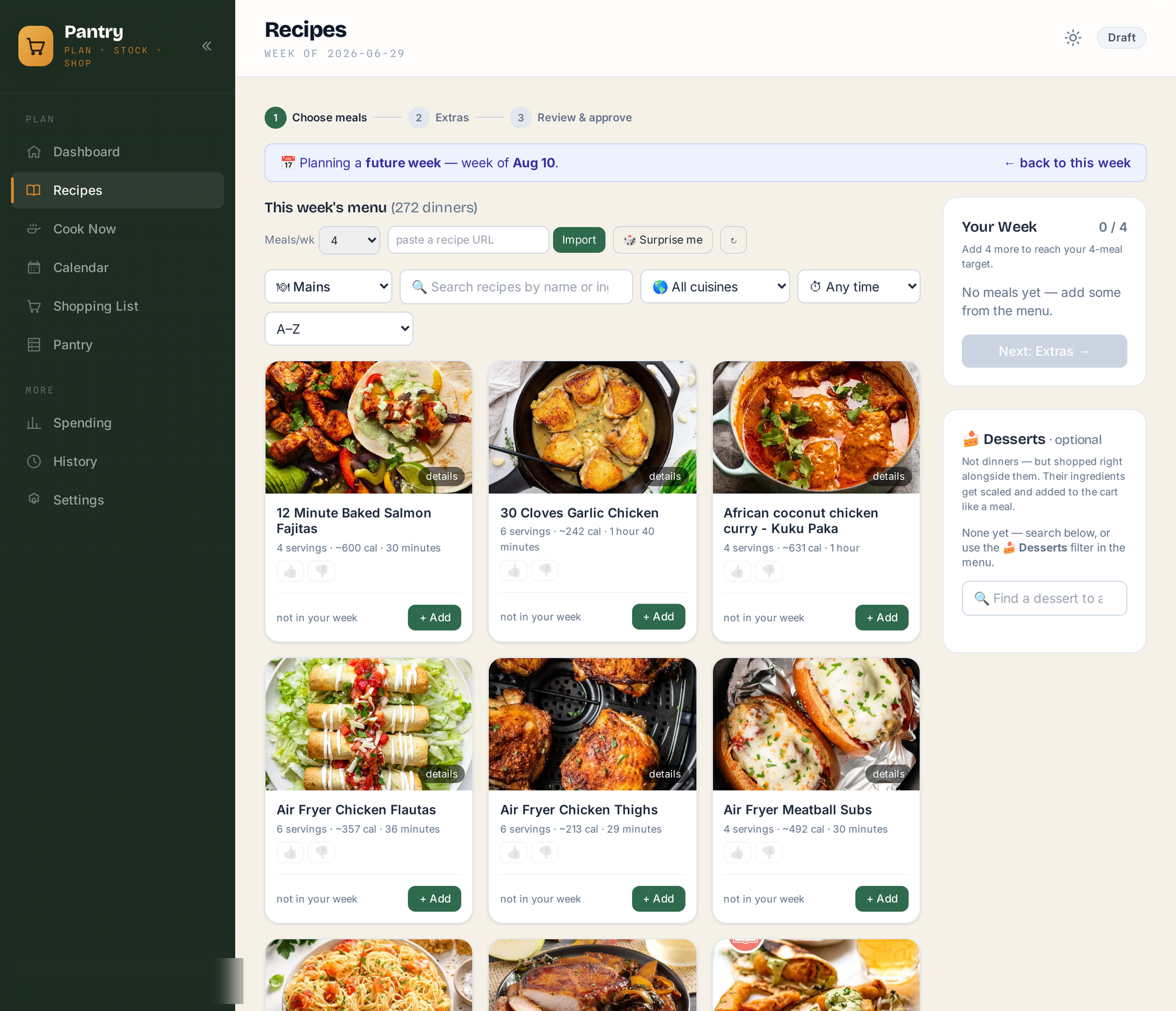
The cards learn from us over time. Every recipe has thumbs up/down and a "last had" chip that goes off when we actually cooked it. There's a "Surprise me" button that fills the week for you, and it favors stuff we liked, skips stuff we didn't, and won't suggest anything we've had in the last five weeks. Once that went in the suggestions stopped repeating themselves.
The matching engine
The hard part of this project was never the API. It's turning "1 tomato, thinly sliced" into the right product at the right quantity. Every ingredient goes through a normalization pass that strips quantities, units, prep words, and filler like "or as needed." Ingredients get combined across recipes, so there's one eggs row even if three recipes need eggs. Then it picks a Kroger product, and this is where all the scar tissue is. Some of the guards that exist now because of real mistakes:
- A non-food filter. This went in after "cinnamon stick" matched a scented wax melt and "garnish" matched dog food.
- Fresh produce wins over frozen and canned when the store has it, but staples like black beans and broth stay canned, and "dried basil" doesn't get upgraded to a fresh herb bundle.
- Package math. Two chicken dinners need two packs of chicken, but two recipes using olive oil still only need one bottle, and doubling a recipe's servings shouldn't buy two jars of garam masala.
- A learned match table, so a product you've swapped in once gets remembered next time.
After the deterministic stuff there are two AI passes. One sanity checks every match against the ingredient it's supposed to be. It once caught "lemon slices" matched to a 2 liter of orange soda, which is the kind of thing you only need to see in your cart once. The other pass finds substitutes for anything that couldn't be matched at all. Both run in the background shortly after you stop editing the plan, and again right before any push, so the unattended Friday order can't ship something dumb.
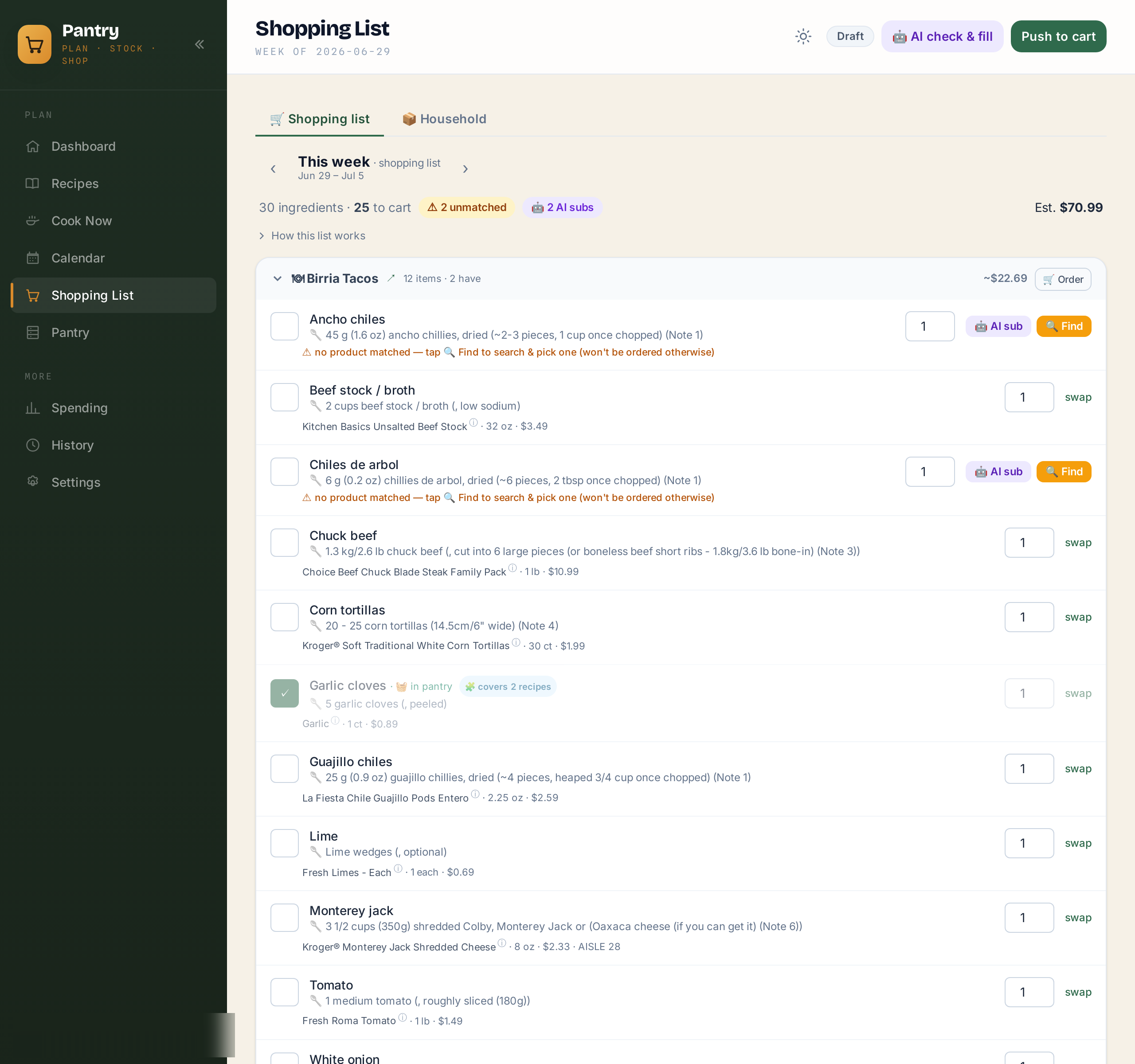
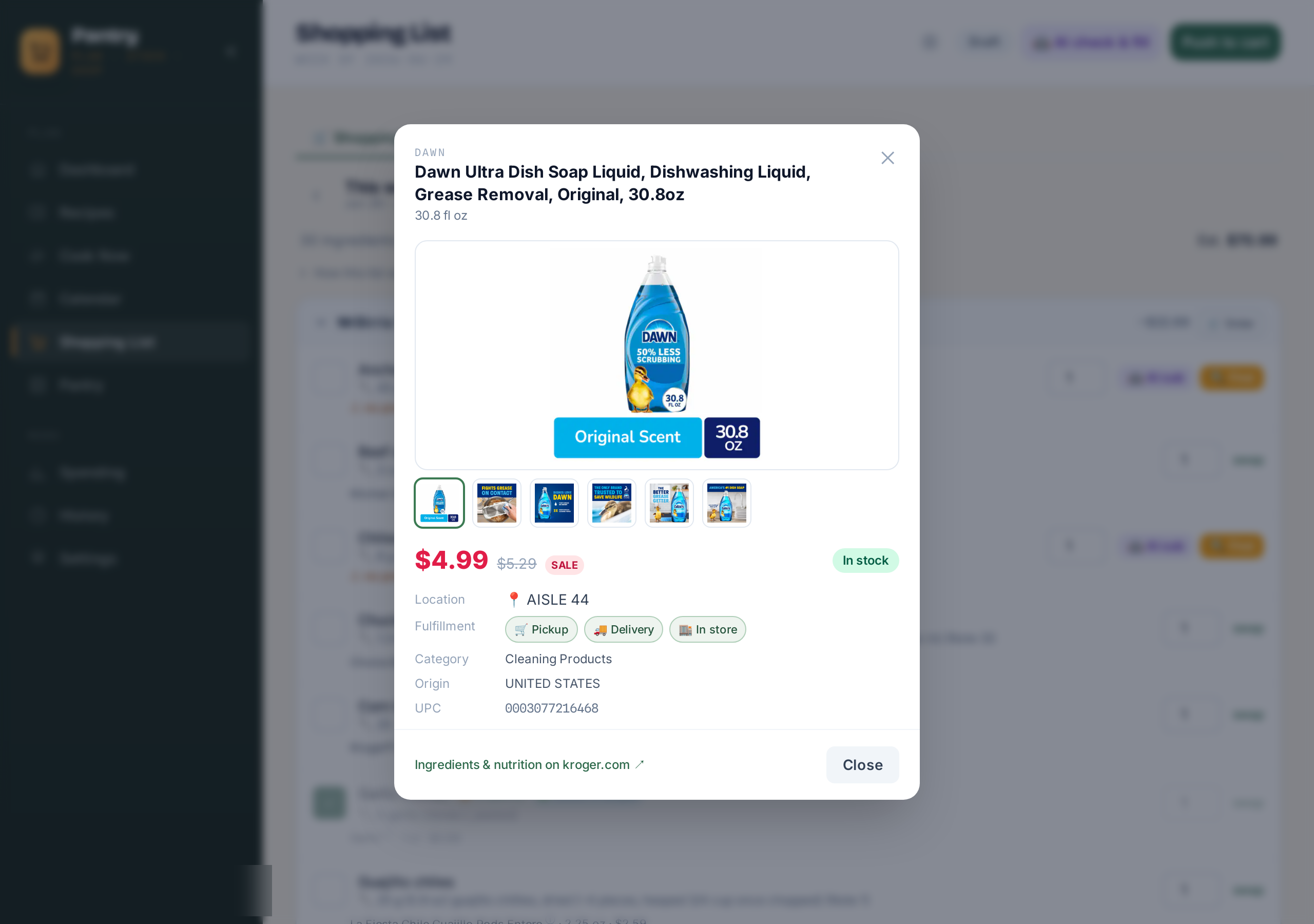
Anything on the list opens a product popup with photos, sale vs. regular price, live stock, and which aisle it's on at our store.
The pantry
The app is named for this part. It keeps a barcode-scannable inventory of what's already in the house. You scan items in with a phone camera or a cheap USB scanner, and an AI pass sorts everything into categories and merges brands, so three brands of canned black beans show up as one "black beans (canned) ×11" line with the value totaled. The shopping list checks the pantry before buying anything. If we have enough of something it gets skipped, and if we have some it buys the difference and tells you ("You have 3, buying 2 of 5").
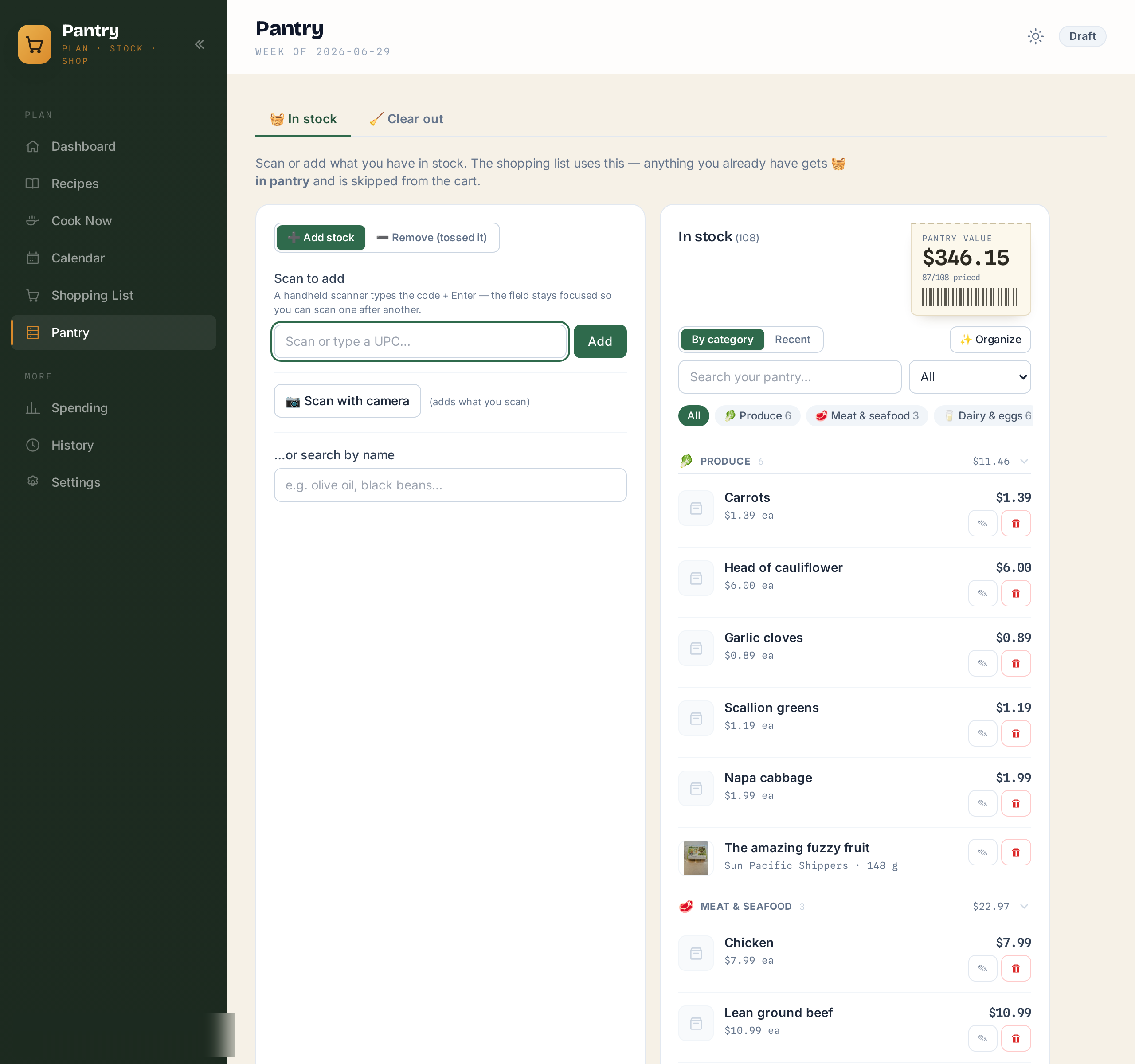
I expected keeping the inventory current to be a chore, but it mostly runs itself. Importing a receipt adds what you bought. Checking a meal off as cooked draws down the ingredients it used, with an undo if you fat-finger it. There's also a clear-out tab where you scan the empty container on its way to the trash, and it offers to put a replacement on the shopping list.
Receipts and spending
Kroger's API has no order history endpoint, so receipts come in through a bookmarklet. You open the receipt on kroger.com, tap "Save receipt to Pantry," and an AI parser pulls out every line item with its UPC, package size, and sale vs. regular price. That feeds a spending page with charts over time and per-product price tracking. Products are grouped by UPC so a 12oz and a 24oz of the same thing never get compared.
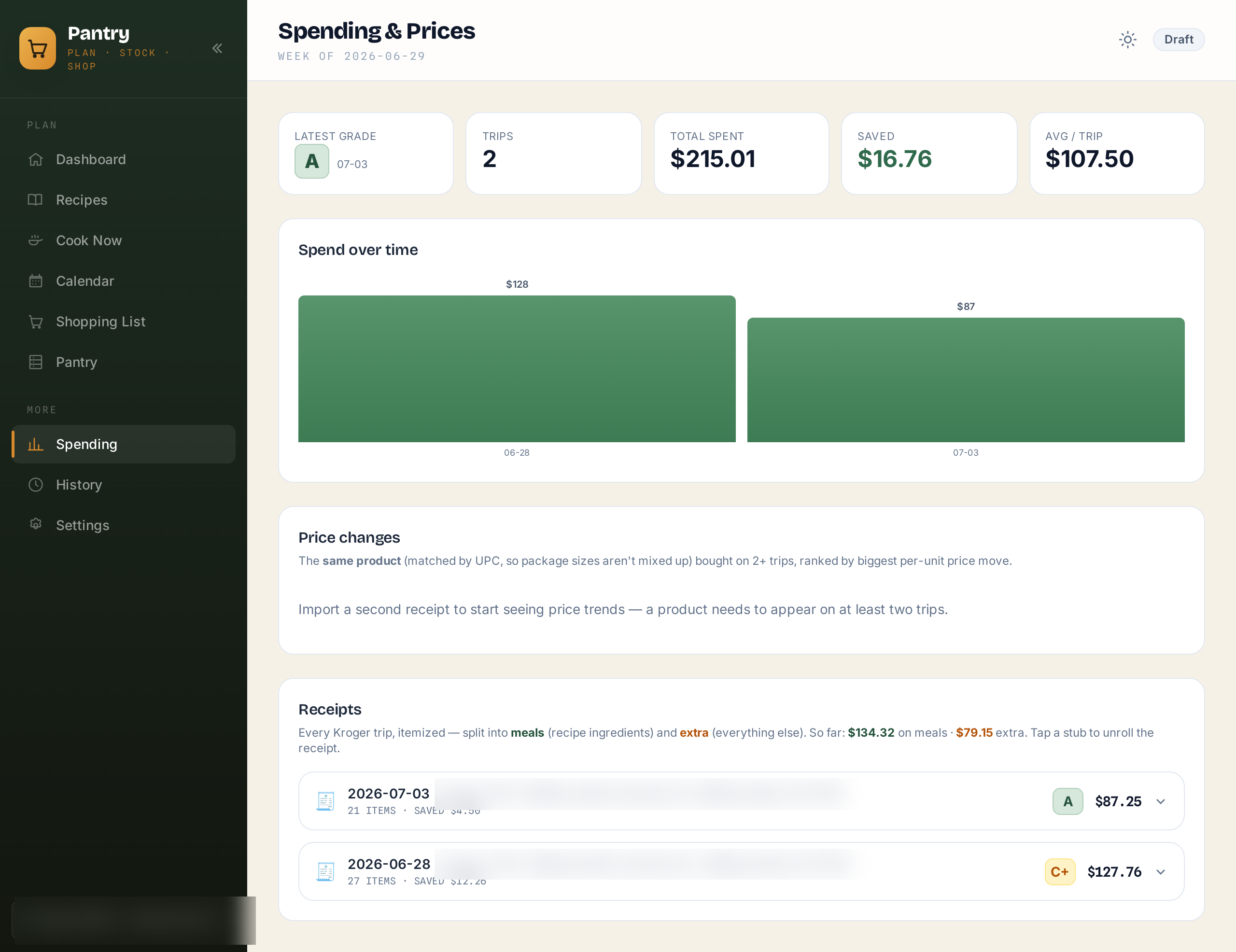
Each imported trip also gets a letter grade from the AI. It's grading how well the matcher shopped, so wrong forms (frozen vs. fresh), duplicates, and weird quantities all count against it. The first real receipt scored a C+ (that was the wax melt trip). Recent ones grade A. I didn't plan for this to become the project's main quality metric but that's what happened, and watching the grade climb as I fixed matcher bugs was easily the most satisfying feedback loop in the whole build.
The calendar and the kitchen display
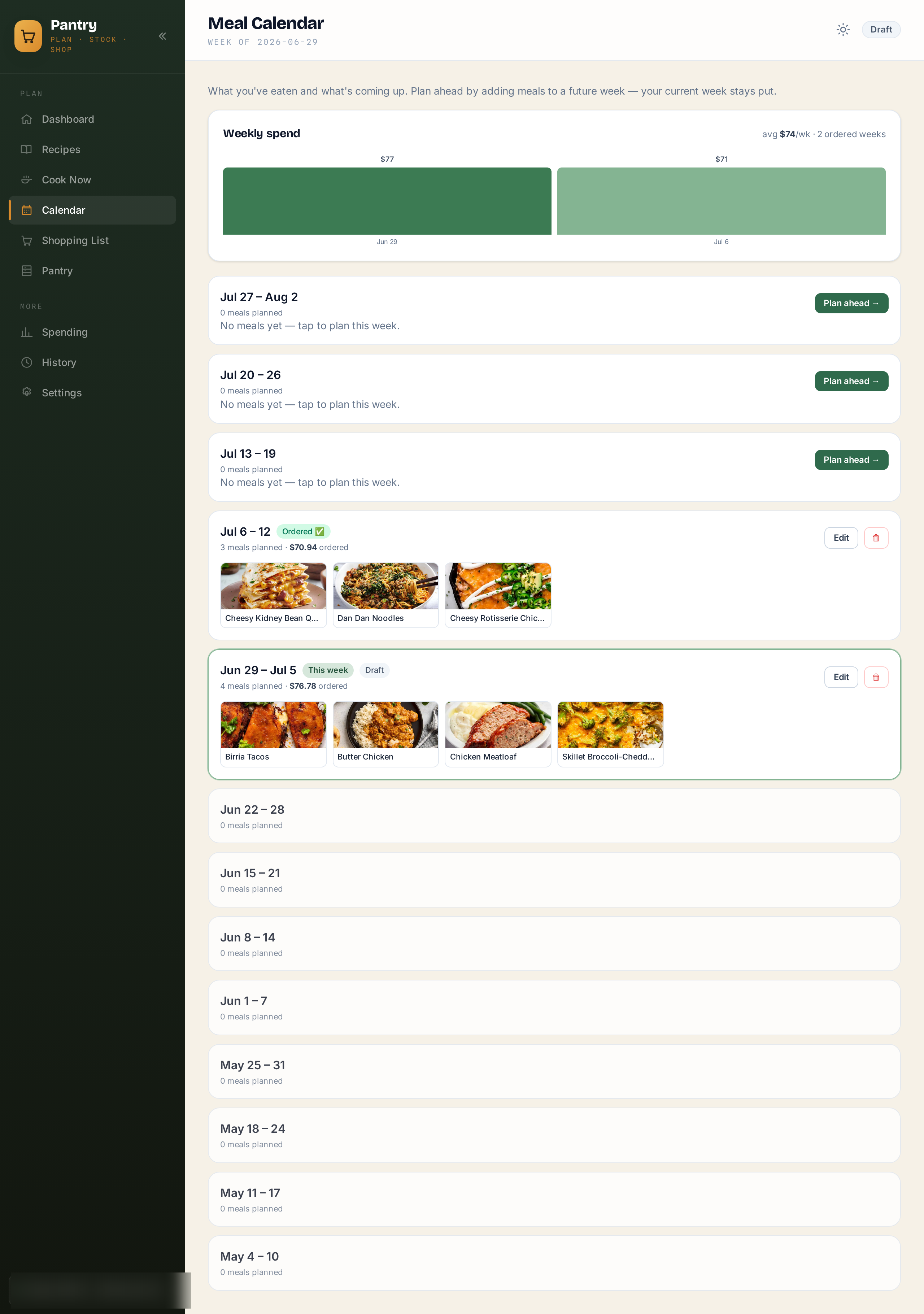
A calendar view shows a few weeks of planned meals with the spend per week, which helps plan around trips and busy stretches.
And since everything in this house ends up on the Home Assistant kiosk eventually, Pantry serves a couple of cards the dashboards embed. The kitchen display has a Meals & Pantry section with this week's dinners and a mark-as-made button, which is what feeds the ratings, the rotation chips, and the pantry draw-down. There's also a phone scanner card for pantry adds and clear-outs.
The stack
FastAPI and SQLModel on SQLite, in WAL mode after learning about lock contention the hard way. Jinja templates with Tailwind, HTMX for interactivity with a little Alpine, and APScheduler for the Friday push and the background AI checks. It runs in Docker next to everything else. The AI features are a handful of small Claude API calls for match checking, substitute picking, receipt parsing, pantry categorization, and trip grading. None of them are expensive.
The upshot
Meal planning used to be a weekly chore and now it's five minutes of browsing a menu. "Do we have cumin" is a page instead of a cabinet search. The groceries show up because a scheduler fired at 8am. Between this and the dog telemetry, the house is coming along.
Roadmap
Right now this thing is held together with my life specifically. My store, my accounts, my pantry, all of it baked in. A few people have asked if they can run it too, so here is where I want to take it.
Ship it as an open source Docker image. The goal is a public repo and a single compose file. Pull the image, run one command, and you have your own copy.
Add a real onboarding screen. Setup today quietly assumes you are me and already know which environment variables to fill in. That is fine for one person and rough for everyone else. I want a first run wizard that walks you through connecting your grocery account, pointing it at your own recipe library, and picking your store, without ever opening a config file.
Depersonalize the image. Before any of that can go out, the parts that are hardcoded to me have to come out. The store, the accounts, the little assumptions about my kitchen that crept in after building this only for us. The app needs to boot up empty and let you bring your own everything.
No promised dates on any of it. This is a nights and weekends project and it will get there when it gets there. But that is the direction, and open sourcing is something I'm excited for.