A Tour of My Home Assistant Setup
How our house runs itself: dashboards with an actual design system, a self-arming alarm, WebRTC cameras, and full observability for the dog.
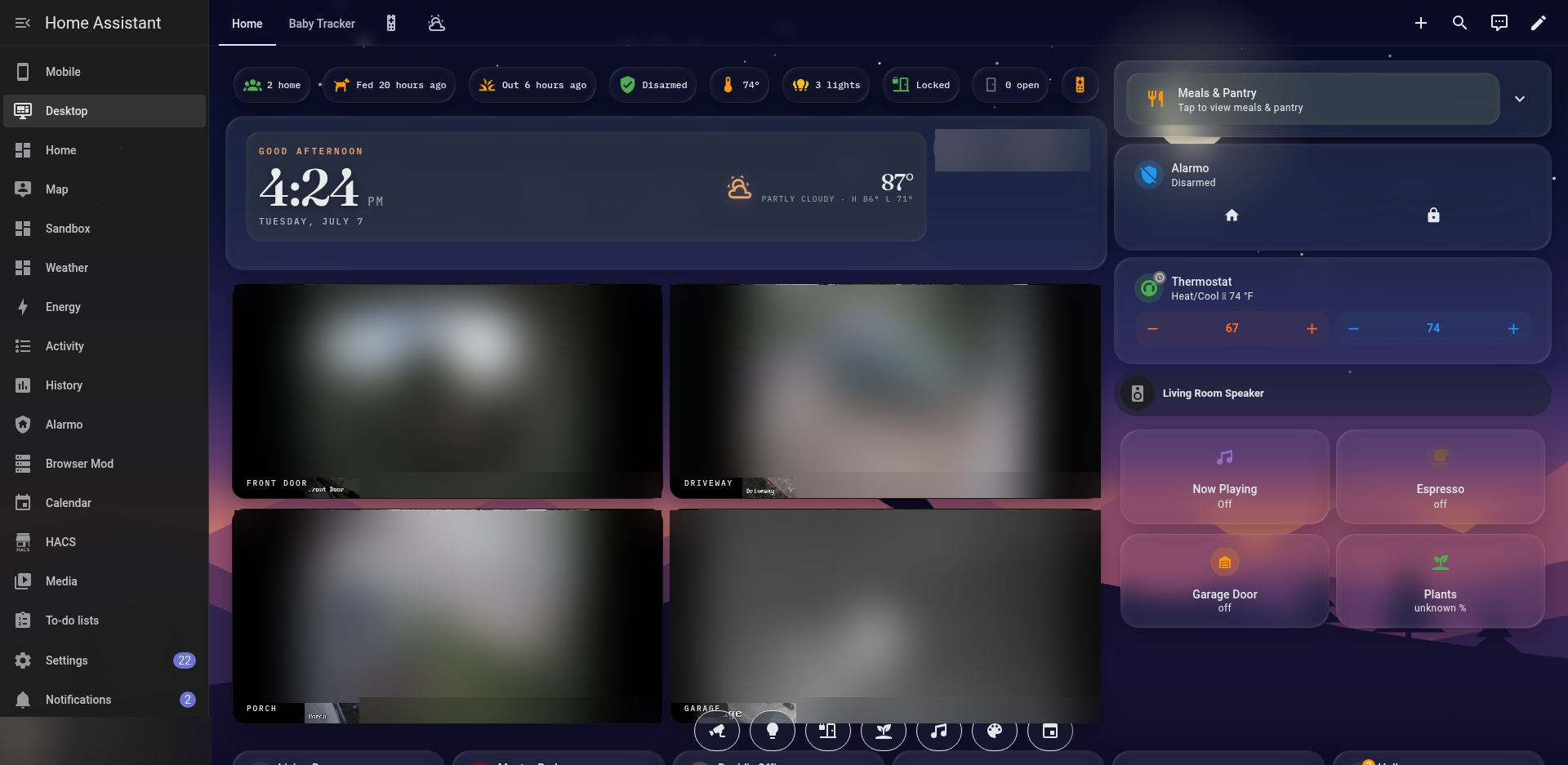
Every homelab has one service the rest of the family actually uses. For me that's Home Assistant. Plex gets more screen time and the *arr stack gets more memes, but Home Assistant is the thing my wife and I touch every day. It's the kitchen display we glance at on the way out the door, the alarm that arms itself when we leave, and the reason I know when the dog was last fed.
Here's how it's put together.
The platform
Home Assistant runs in Docker on a dedicated VM on my Proxmox cluster, managed as a Compose stack alongside a few sidecars (a Matter server, Node-RED, and friends). The VM has two network interfaces: one on the main LAN and one on an IoT VLAN where the cameras, smart plugs, relays, and other chatty devices live. Home Assistant talks to them directly over its IoT leg, so those devices never need a path into the rest of the network. If you take one thing from this post, segment your IoT gear. It costs an evening of VLAN wrangling and buys a lot of sleep.
The integrations doing the heavy lifting: Zigbee2MQTT for sensors, Matter for the newer bulbs, ESPHome for a DIY door and motion sensor node, Shelly relays behind the wall switches, Reolink cameras fronted by a Frigate NVR box, and Music Assistant for whole-house audio with Spotify as a provider. HACS fills in the rest. Mushroom cards, Bubble Card, card-mod, layout-card, and a dozen other frontend pieces this setup wouldn't be recognizable without.
The dashboards
The main interface is a portrait touchscreen in the kitchen running a kiosk dashboard. No header, no sidebar, just the house. Weather and time up top, camera feeds in the middle, alarm, thermostat, and room controls below, with pop-ups for lights, locks, plants, and music so nothing needs a scroll.
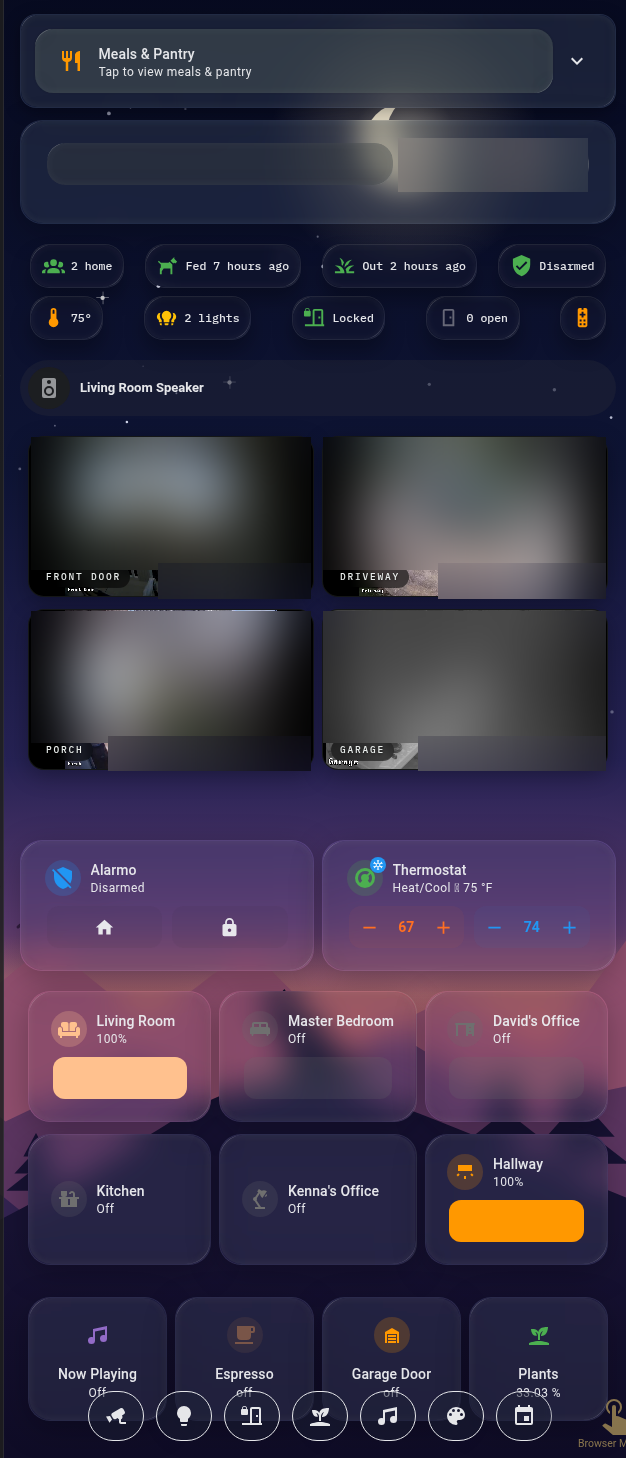
At some point I stopped treating the dashboards as config and started treating them as a design project. Everything follows one small design system now: Fraunces for display type, IBM Plex Mono for labels and status chips, an amber accent I've been calling alpenglow, and frosted glass cards over a generated dusk-mountains wallpaper. The wallpaper has our dog Huxley's silhouette hiding in the ridgeline. The same tokens carry across the kiosk, the desktop dashboard, and the mobile layout, so the whole thing reads like one product instead of a pile of cards.
None of this was necessary. But the kitchen display finally looks like something you'd actually buy, so I regret nothing.
What it actually does
Security
The alarm is Alarmo with door sensors and motion, and it mostly runs itself. It arms when both of us leave and again late at night, with a safety-net check in case something gets missed. When it trips, the camera sirens fire, the indoor speakers join in, the lights flash, and my phone gets a critical notification with a snapshot of whichever zone tripped. The snapshot is taken the moment the door opens, not after the entry delay, so you see who it was. Getting all of that to restore cleanly after a disarm (volumes, light scenes, sirens) took more debugging than I want to admit.
Cameras
Four Reolink cameras feed Frigate for detection and recording, and stream live to the dashboards over WebRTC. Frigate also writes AI-generated descriptions of events into the notifications, so instead of "motion detected" I get an actual sentence about what's happening on the porch.
Music
Music Assistant drives the cast speakers around the house, with playlist buttons and a tappable queue on the dashboards. There's no native Spotify integration involved. Music Assistant just treats Spotify as another source, which works better than the old integration ever did.
The household layer
This is the part guests actually comment on. A Meals & Pantry widget shows this week's dinner plan from our self-hosted meal planner. A chores tracker keeps score of recurring tasks. And Huxley has telemetry. A Wi-Fi contact sensor on the dog food container stamps a "Fed 2 hours ago" chip every time it opens, and a porch camera animal detection matched against the patio door stamps his last bathroom break. Is it over-engineered to have observability for the dog? Yes. Has anyone asked "wait, did anyone feed Huxley?" since? No.
Lessons learned
- Storage-mode dashboards are editable outside the UI. The JSON lives in
.storage/. Take a backup before every edit because there is no undo. - Cast devices silently ignore relative media URLs. If your chime or TTS "plays" but nothing sounds, use absolute URLs. That one cost me an evening.
- Never gate a snapshot-scene restore on the scene's state. A scene created with
scene.createreportsunknownuntil it's first activated, so the guard never passes and your lights stay alarm-red. Ask me how I know. - Dual-homed boxes need explicit adapter config for discovery, or integrations quietly follow the default route and lose half your devices.
- Decide on type, accent, and surfaces once. Every card after that gets faster to build and the result looks intentional.
The whole thing is very much a living system. There's a half-finished doorbell intercom sitting in a sandbox dashboard right now, waiting for me to win a fight with a WebRTC audio stall. That's the hobby. It's never done, it's just currently working.